

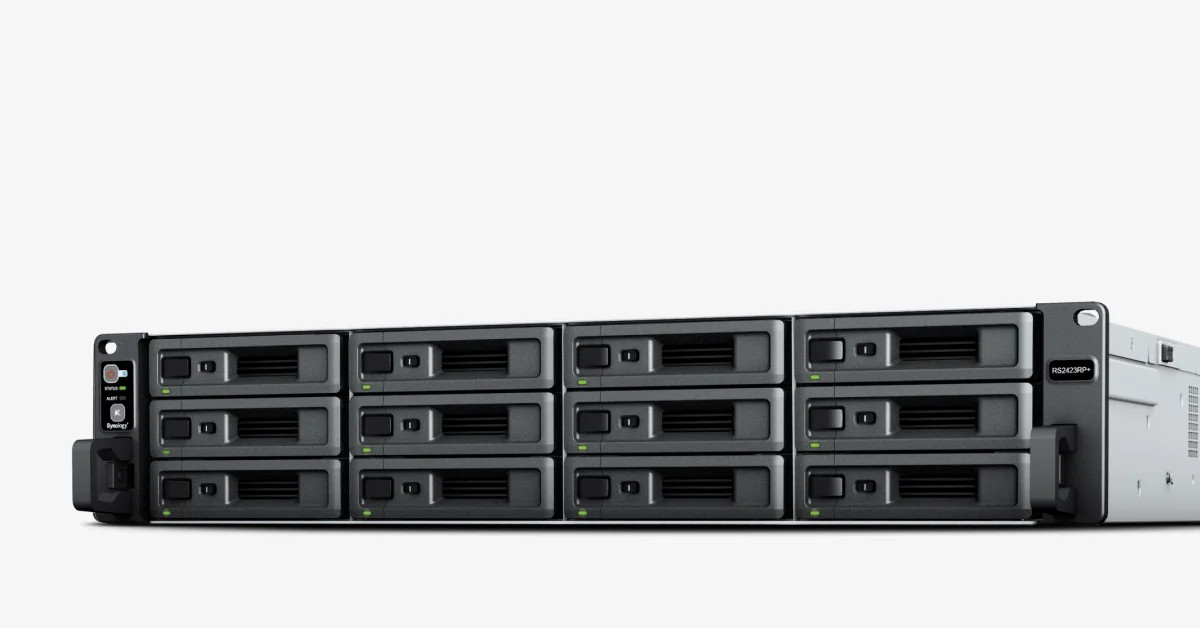

Synology RS2423+
Original price was: KSh525,000.KSh520,000Current price is: KSh520,000.
Synology RS2423+
- 12-Bay Rackmount Storage
- AMD Ryzen V1780B Processor
- 8GB DDR4 ECC Memory
- Built-In 10GbE RJ-45 Networking
- High Sequential Storage Performance
- Expandable to 24 Drive Bays
- Business-Focused Backup and Data Protection
Description
Synology RS2423+ – 12-Bay 2U Rackmount NAS for Business Storage, Backup and File Management
As businesses accumulate more documents, databases, backups, media files, surveillance footage and application data, conventional desktop storage quickly becomes difficult to manage. A dedicated NAS can provide a centralized platform where business data is stored, protected, shared and backed up from one location.
The Synology RS2423+ is a 12-bay 2U rackmount NAS designed for businesses, organizations and IT environments that need substantial storage capacity, fast network access and dependable data-management tools. It combines an AMD Ryzen V1780B processor, 8GB ECC memory, built-in 10GbE networking and 12 SATA drive bays in a rack-friendly chassis.
The system is particularly suited to centralized file storage, business backups, virtualization workloads, surveillance storage and collaboration between users or offices. Synology also supports expansion to 24 drive bays by adding an RX1223RP expansion unit, giving organizations room to increase capacity as their data grows.
For organizations in Kenya, this makes the RS2423+ a practical option for server rooms, data centers, corporate offices, universities, NGOs, government institutions and other environments where data needs to remain centrally accessible and properly protected.
2. Key Features & Benefits
1. 12-Bay Rackmount Storage
The RS2423+ provides 12 drive bays supporting 3.5-inch SATA hard drives and 2.5-inch SATA SSDs. This gives organizations considerable flexibility when designing a storage system around capacity, performance and redundancy requirements.
Benefit: You can start with the storage capacity you actually need and add drives as the organization’s data requirements increase.
2. AMD Ryzen V1780B Processor
At the heart of the system is a 4-core, 8-thread AMD Ryzen V1780B processor running at 3.35 GHz base frequency and up to 3.6 GHz turbo frequency.
Benefit: The processor provides the computing capacity needed for file services, backup applications, virtualization-related storage workloads and multiple simultaneous users.
3. 8GB DDR4 ECC Memory
The RS2423+ comes with 8GB DDR4 ECC UDIMM memory and has two memory slots, supporting up to 32GB using compatible Synology memory modules.
Benefit: ECC memory is valuable in business storage environments where data integrity and system stability matter. The upgrade path also allows the NAS to be configured for more demanding workloads.
4. Built-In 10GbE RJ-45 Networking
Unlike NAS systems limited to Gigabit Ethernet, the RS2423+ includes one 10GbE RJ-45 LAN port alongside two 1GbE RJ-45 ports.
Benefit: A 10GbE network connection can significantly improve access to large files and high-throughput storage workloads when the network infrastructure, switches and client devices also support the required speeds.
5. High Sequential Storage Performance
Synology rates the RS2423+ at over 3,500 MB/s sequential read and 1,700 MB/s sequential write throughput under its published testing conditions. The manufacturer also reports more than 155K/79K 4K random read/write IOPS in its testing.
Benefit: This performance makes the platform suitable for environments where many users need to work with centralized files or where large datasets must be transferred efficiently.
Actual performance depends on the drives installed, RAID configuration, network infrastructure, workload and system configuration.
6. Expandable to 24 Drive Bays
A single RS2423+ can be expanded to 24 drive bays using one Synology RX1223RP expansion unit.
Benefit: Businesses do not necessarily have to replace the NAS when their storage requirements increase. Expansion can provide additional capacity while preserving the existing storage infrastructure.
7. Business-Focused Backup and Data Protection
Synology’s DSM platform supports applications including Active Backup for Business, Hyper Backup and Snapshot Replication. These tools can be used for endpoint, server, NAS/SAN, virtual machine and cloud-data protection, depending on the application and configuration.
Benefit: Instead of treating the NAS simply as a large file server, organizations can use it as a central component of a broader backup and recovery strategy.
8. 2U Rackmount Design with PCIe Expansion
The RS2423+ uses a 2U rackmount chassis and includes a PCIe Gen3 x8 slot operating at an x4 link. Optional networking and storage-related expansion cards are available for compatible configurations.
Benefit: It can fit naturally into a conventional 19-inch server rack while providing an upgrade path for organizations that need additional networking or storage capabilities.
3. Why the Synology RS2423+ Is the Smart Choice
The RS2423+ is designed for organizations that have moved beyond the requirements of a small office NAS but do not necessarily need a large enterprise storage array.
Its combination of 12 drive bays, ECC memory, 10GbE networking, rackmount construction and Synology’s DSM software ecosystem makes it suitable for centralized business storage and data protection.
One of its biggest advantages is flexibility. The 12 bays allow organizations to implement RAID configurations appropriate for their availability and capacity requirements, while the expansion port allows the system to grow to 24 drives.
The built-in 10GbE RJ-45 port is also important for organizations upgrading from conventional 1GbE storage. When paired with compatible 10GbE networking equipment, it can provide substantially greater network bandwidth for large file transfers and shared storage applications.
The RS2423+ also benefits from Synology’s DSM ecosystem. Features such as Active Backup, Hyper Backup, Snapshot Replication, Synology Drive and Synology High Availability can help organizations build a more structured approach to storage, collaboration and recovery.
4. Synology RS2423+ Specifications
| Specification | Details |
|---|---|
| Product | Synology RackStation RS2423+ |
| Product Type | 2U 12-Bay Rackmount NAS |
| CPU | AMD Ryzen V1780B |
| CPU Cores / Threads | 4 cores / 8 threads |
| CPU Frequency | 3.35 GHz base / 3.6 GHz turbo |
| CPU Architecture | 64-bit |
| Memory | 8GB DDR4 ECC UDIMM |
| Memory Slots | 2 |
| Maximum Memory | 32GB |
| Drive Bays | 12 × 3.5″ SATA HDD or 2.5″ SATA SSD |
| Expansion Capacity | Up to 24 bays with RX1223RP |
| 10GbE LAN | 1 × RJ-45 |
| 1GbE LAN | 2 × RJ-45 |
| USB | 2 × USB 3.2 Gen 1 |
| Expansion Port | 1 × Mini-SAS HD |
| PCIe | 1 × Gen3 x8 slot, x4 link |
| Supported RAID | Synology Hybrid RAID, Basic, JBOD, RAID 0, 1, 5, 6 and 10 |
| Internal File Systems | Btrfs, ext4 |
| Form Factor | 2U |
| Dimensions | 88 × 482 × 552 mm |
| Weight | 11.5 kg |
| System Fans | 3 × 60 × 60 mm |
| Power Supply | 500W |
| Input Voltage | 100–240V AC |
| Operating Temperature | 0–35°C |
| Operating Humidity | 8–80% RH |
| Warranty | 3 years, extendable to 5 years depending on applicable Synology warranty options |
Specifications are based on Synology’s current product documentation. Drive compatibility should be checked against Synology’s compatibility list before purchasing or configuring the system.
5. Storage, RAID and Data Protection
The RS2423+ supports several storage configurations, including Synology Hybrid RAID (SHR), RAID 0, RAID 1, RAID 5, RAID 6, RAID 10, Basic and JBOD. It supports Btrfs and ext4 for internal storage.
For business environments, the choice of RAID level should be based on the organization’s requirements for capacity, redundancy and performance.
For example:
- RAID 5 — useful when balancing usable capacity with protection against a single drive failure.
- RAID 6 — suitable where stronger drive-failure protection is required.
- RAID 10 — useful for workloads prioritizing performance and redundancy.
- SHR — can simplify storage management where flexible drive configurations are desirable.
RAID should not, however, be treated as a replacement for backup. A good business strategy should include independent backup copies and, where appropriate, off-site or cloud-based protection.
Synology’s Snapshot Replication can provide point-in-time protection for supported shared folders and LUNs, while Hyper Backup can back up data and system configurations to destinations such as another Synology system, file servers, USB storage and supported cloud services.
6. Who Is the Synology RS2423+ For?
Small and Medium-Sized Businesses
Companies can use the RS2423+ as a centralized platform for shared documents, departmental files, backups and collaboration.
NGOs and Development Organizations
NGOs handling large volumes of project documents, financial records, reports, media and field data can benefit from centralized storage and controlled access.
Government Institutions
Government offices can deploy the NAS for departmental file storage, backup infrastructure, document management and other internal storage requirements.
Universities and Research Institutions
Universities can use the system for research datasets, administrative files, departmental storage, backups and shared resources.
Financial and Professional Services
Organizations dealing with large volumes of business records can use the RS2423+ to centralize files while implementing appropriate access controls, snapshots and backup procedures.
IT Service Providers and Data Centers
The rackmount form factor, 10GbE connectivity, 12 drive bays and expansion options make the system suitable for server rooms and data-center environments where centralized storage is required.
Surveillance Environments
Synology states that the RS2423+ can support up to 75 IP cameras under specified Surveillance Station conditions, although actual deployment capacity depends on camera resolution, codec, recording settings and other workloads.
7. Synology RS2423+ Product Buying Guide
Before buying a Synology 12-bay NAS, consider more than the number of drive bays.
1. Determine Your Required Storage Capacity
Calculate your current storage requirement and expected growth over the next three to five years. Remember that RAID reduces usable capacity compared with the combined capacity of all installed drives.
2. Choose the Right NAS Drives
The RS2423+ supports SATA HDDs and SATA SSDs, but Synology recommends checking its current compatibility list before purchasing drives.
For business deployments, NAS or enterprise-class drives are generally more appropriate than consumer desktop drives.
3. Plan Your RAID Configuration
Choose RAID based on your requirements for capacity, performance and drive-failure protection. A 12-bay system gives you considerably more flexibility than a small four- or five-bay NAS.
4. Check Your Network Infrastructure
The RS2423+ includes 10GbE RJ-45 connectivity. To benefit from this interface, your switch, cabling and client devices must support compatible 10GbE connectivity.
If the existing network is only Gigabit Ethernet, the NAS will still work, but network performance will be limited by the connected infrastructure.
5. Plan Your Backup Strategy
A NAS provides centralized storage, but important business information should still be backed up. Consider combining local backups, snapshots and an independent off-site or cloud backup depending on the importance of the data.
6. Consider Future Expansion
If your data is expected to grow substantially, the RS2423+ has an advantage because it can be expanded to 24 drive bays using the RX1223RP expansion unit.
7. Consider the Rack Environment
The RS2423+ is a 2U rackmount NAS, so it is best suited to a server rack or appropriate rack enclosure. Ensure the rack has sufficient depth, ventilation and power capacity. The RKS-02 rail kit is sold separately.
8. Minify Solutions – Synology RS2423+ Kenya
If you are looking for a Synology RS2423+ in Kenya, Minify Solutions supplies Synology storage solutions for businesses, institutions and professional IT environments in Nairobi and across Kenya, subject to product availability.
The RS2423+ can be configured according to your storage requirements, including compatible NAS drives, memory upgrades, rack accessories and networking components.
Whether you are setting up centralized business storage, a backup server, surveillance storage or a scalable NAS environment, it is important to select the right drives, RAID configuration and network infrastructure alongside the NAS itself.
For organizations searching for Synology RS2423+ price in Kenya, pricing will depend on the configuration, drive capacity, accessories and current availability. Contact Minify Solutions for a current quotation.
Minify Solutions can also assist customers looking to buy Synology RS2423+ in Kenya, including businesses in Nairobi and organizations requiring delivery to other parts of the country.
9. Frequently Asked Questions
What is the Synology RS2423+?
The Synology RS2423+ is a 2U 12-bay rackmount NAS server designed for centralized business storage, file sharing, backup, surveillance and other storage applications. It features an AMD Ryzen V1780B processor, 8GB ECC memory and built-in 10GbE networking.
What is the Synology RS2423+ used for?
It can be used for centralized file storage, business backups, private cloud/file synchronization, surveillance storage, virtualization-related storage and other organizational data-management workloads.
How many drives does the RS2423+ support?
The RS2423+ has 12 drive bays supporting 3.5-inch SATA HDDs or 2.5-inch SATA SSDs. With an RX1223RP expansion unit, the system can reach up to 24 drive bays.
Does the Synology RS2423+ support 10GbE?
Yes. It includes one built-in 10GbE RJ-45 port and two 1GbE RJ-45 ports.
Can the Synology RS2423+ be upgraded?
Yes. The system has two memory slots and supports up to 32GB of DDR4 ECC UDIMM memory using compatible modules. It also has a PCIe Gen3 expansion slot and can be expanded to 24 drive bays with an RX1223RP.
Is the Synology RS2423+ suitable for business backups?
Yes. Synology provides applications such as Active Backup for Business, Hyper Backup and Snapshot Replication for different backup and data-protection requirements.
How much is the Synology RS2423+ in Kenya?
The Synology RS2423+ price in Kenya depends on current availability and the configuration, particularly the drives and accessories selected. Contact Minify Solutions for the latest quotation.
Related products