

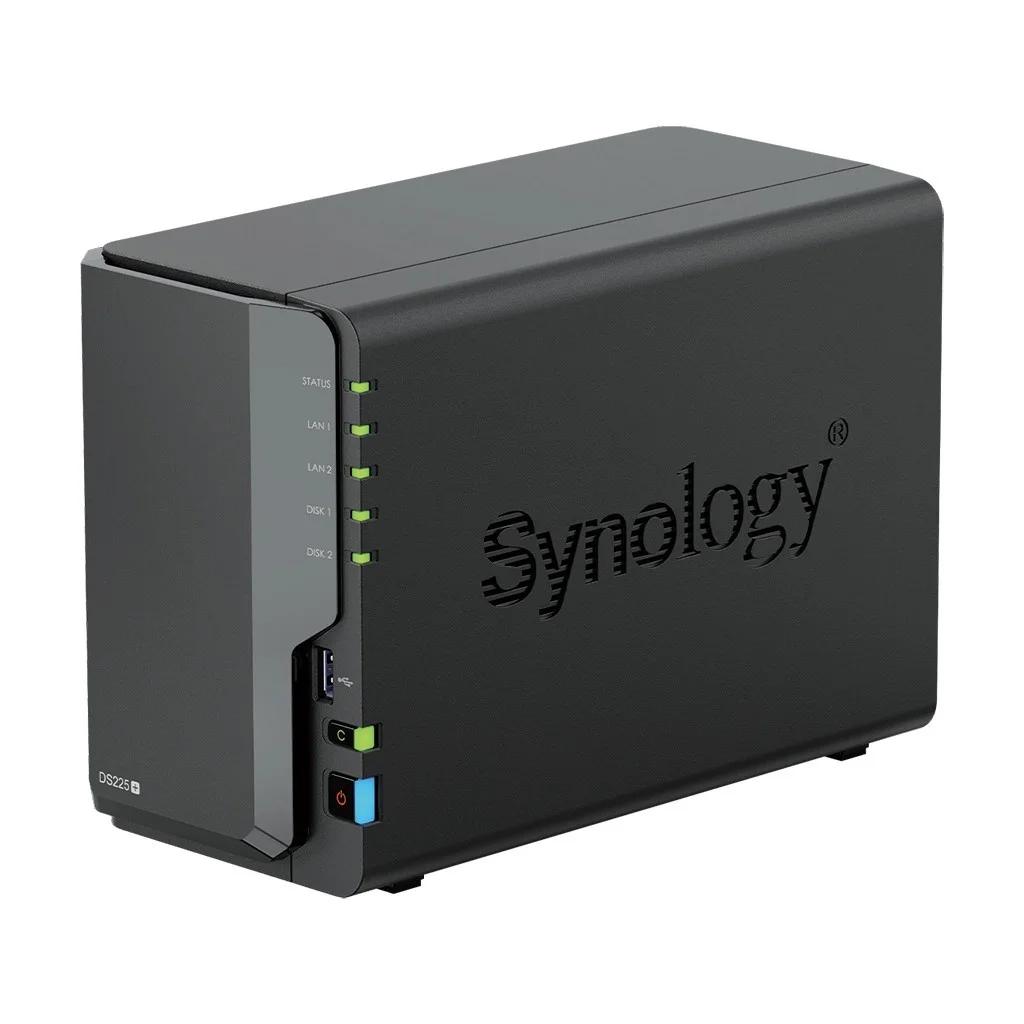

Synology DS225+
Original price was: KSh74,999.KSh72,999Current price is: KSh72,999.
Synology DS225+
- Excellent DSM software ecosystem
- Compact footprint
- 2.5GbE networking
- Two-drive redundancy options
- Suitable for small teams
- Strong backup and synchronisation capabilities
- Low noise and power consumption
Description
Synology DS225+ Price in Kenya – 2-Bay NAS for Business Storage & Backup
When Business Data Is Scattered Everywhere, Storage Becomes a Business Problem
A company can survive having a few old computers.
It is much harder to survive losing its customer files.
In a typical Kenyan SME, important information can end up scattered across employee laptops, USB drives, WhatsApp attachments, Google accounts, external hard drives and individual desktop computers.
At first, this arrangement seems inexpensive.
Then somebody deletes an important folder.
A laptop fails.
An employee leaves with critical business information.
Two employees work on different versions of the same document.
A ransomware incident locks the company’s shared files.
Or management discovers that the “backup” has not actually been running for six months.
The financial cost can quickly exceed the cost of implementing proper network storage.
This is why businesses in Nairobi, Mombasa, Kisumu, Nakuru and Eldoret increasingly need to think about storage as part of their IT infrastructure rather than simply buying bigger hard drives.
The Synology DS225+ addresses this problem by providing a compact two-bay NAS platform for centralised storage, backup, synchronisation and collaboration.
What Is the Synology DS225+?
The Synology DS225+ is a compact 2-bay Network Attached Storage (NAS) system designed for home offices, small teams, branch offices and edge deployments.
Synology launched the DS225+ in 2025 and positions it specifically for small teams and branch offices, with features for synchronising data with central offices.
Unlike an external USB hard drive, a NAS connects to your network.
That means authorised computers and users can access shared files without physically connecting a drive to every machine.
The DS225+ can therefore serve as a:
- Central file server
- Business backup destination
- Private cloud
- File synchronisation platform
- Shared document repository
- Remote-access storage system
- Surveillance storage platform
- Branch-office storage solution
It runs Synology DiskStation Manager (DSM), which provides the operating environment and applications used to manage storage, users, permissions, backups and collaboration. Synology currently lists DSM 7.4.1 for the DS225+.
Why Buy Synology DS225+ in Kenya?
The important question is not simply:
“How much storage do I get?”
The better question is:
“What happens to my business if that data becomes unavailable?”
For an SME, the answer could involve lost productivity, missed deadlines, customer complaints and potentially serious financial losses.
A properly configured NAS can reduce those risks by putting business information into a controlled environment.
1. Centralised Business File Storage
Imagine a 20-person Nairobi company where every employee stores documents on their own laptop.
The finance department has invoices.
Sales has customer quotations.
HR has employee documents.
Management has contracts.
Nobody has a reliable central copy.
The DS225+ allows the organisation to create shared folders and establish permissions around them.
For example:
Finance
Only authorised finance employees can access sensitive accounting files.
Sales
Sales staff can access quotations, product documents and customer information.
Management
Executives can access reports and approved company documents.
This is much more structured than passing files around through USB drives or messaging applications.
2. Turn the DS225+ Into a Private Cloud
One of the strongest reasons to consider Synology is its software ecosystem.
Synology Drive can turn the NAS into a private-cloud-style platform, allowing users to access and synchronise files across supported devices. Synology specifically lists Drive as one of the DS225+’s business-oriented applications.
This addresses a common concern among businesses:
“Why should our business files depend entirely on somebody else’s cloud?”
A private NAS gives an organisation substantially more control over where its primary data is stored.
However, private cloud does not automatically mean secure cloud.
That distinction is extremely important.
Security Should Come Before Convenience
A NAS connected to the internet without appropriate security controls can become a significant attack surface.
Think of it this way:
A physical storage room with a strong door is useful.
Leaving the door permanently open is not.
For a business deployment, consider:
- Strong administrator passwords
- Individual user accounts
- Least-privilege permissions
- Multi-factor authentication where supported
- Regular DSM updates
- Firewall rules
- Secure remote-access configuration
- Encryption where appropriate
- Backup isolation
- Monitoring and logging
- Regular recovery testing
Synology’s DSM ecosystem includes security and management capabilities, but the administrator remains responsible for configuring them correctly.
Do not buy a NAS and assume security is automatic.
Can You Disable Synology QuickConnect?
Yes.
QuickConnect is intended to simplify remote connectivity, but businesses do not have to use every convenience feature.
If your organisation has its own VPN, firewall or remote-access architecture, QuickConnect may not be part of your preferred deployment.
The important point is to design remote access deliberately rather than simply exposing the NAS to the public internet.
2.5GbE: Why Does a Two-Bay NAS Need It?
This is one of the most reasonable questions about the DS225+.
Why does a two-bay NAS have 2.5GbE?
Because the network can otherwise become the bottleneck.
Standard Gigabit Ethernet has a theoretical maximum of 1Gbps.
A sufficiently fast single storage drive can exceed what a 1GbE connection can deliver to the client, while multiple clients can compete for the same network bandwidth.
The DS225+ therefore provides:
- 1 × 2.5GbE RJ-45
- 1 × 1GbE RJ-45
Synology confirms both ports in its specifications.
But there is an important caveat:
2.5GbE only helps if the rest of your network supports it.
If the NAS connects to a 1GbE switch, you should not expect 2.5GbE performance.
For an SME upgrading its network, consider pairing the NAS with:
- 2.5GbE switch
- Cat6/Cat6A cabling where appropriate
- 2.5GbE network adapters
- Compatible routers/firewalls
This is particularly useful for large file transfers and simultaneous backups.
Synology DS225+ Key Specifications
| Specification | Synology DS225+ |
|---|---|
| Product type | 2-Bay NAS |
| CPU | Intel Celeron J4125 |
| CPU cores | 4 |
| CPU frequency | 2.0 GHz base / 2.7 GHz turbo |
| RAM | 2GB DDR4 non-ECC |
| Maximum RAM | 6GB |
| Drive bays | 2 |
| Drive support | 3.5″ SATA HDD / 2.5″ SATA SSD |
| Network | 1 × 2.5GbE + 1 × 1GbE |
| USB | 2 × USB 3.2 Gen 1 |
| Raw capacity | Up to 40TB using two 20TB drives |
| Dimensions | 165 × 108 × 232.2 mm |
| Weight | 1.3 kg |
| Noise level | 19.6 dB(A) |
| Power supply | 60W |
| Operating system | Synology DSM |
These specifications come from Synology’s current DS225+ product documentation.
Synology DS225+ Storage: HDD or SSD?
The DS225+ provides two SATA drive bays supporting:
- 3.5-inch SATA HDDs
- 2.5-inch SATA SSDs
The drives are hot-swappable according to Synology’s specifications.
For most business storage deployments, NAS-grade HDDs are likely to provide the best balance between capacity and cost.
SSDs become more attractive where:
- Low latency matters
- Random I/O is important
- The workload is relatively small
- Faster storage response is worth the additional cost
Do not automatically assume SSDs are necessary.
For ordinary document storage and backup, properly configured HDDs can provide excellent value.
Does Synology Force You to Use Synology Hard Drives?
This is where some older online discussions can be misleading.
Synology did introduce tighter drive-compatibility policies with 2025 models, which generated significant criticism.
However, Synology subsequently expanded third-party drive flexibility through DSM 7.3.
Synology’s current compatibility policy states that 2025 DiskStation Plus models running DSM 7.3 support installation and storage-pool creation with third-party drives. Synology still recommends compatible/validated drives for reliability and support.
So claims that the DS225+ simply “forces you to buy Synology drives” are too simplistic for the current situation.
The better purchasing rule is:
Check the current compatibility list before buying the drives.
Synology’s compatibility framework is still important because unsupported or unvalidated drives can affect the level of support Synology can provide.
Can You Use Seagate IronWolf or WD Red?
The practical answer is:
Check the current Synology compatibility information for the exact drive model before purchasing.
The DS225+ supports SATA HDDs, but compatibility is not simply a question of whether the drive physically fits.
For a commercial installation, the exact:
- Brand
- Model
- Capacity
- Firmware
- Drive type
should be checked against Synology’s current compatibility information.
This is especially important when purchasing several drives for a business deployment.
Does the DS225+ Have M.2 NVMe Slots?
No.
The DS225+ has two SATA drive bays and does not provide the M.2 NVMe slots found on some higher-end Synology models.
For example, Synology’s current comparison shows the DS725+ with two M.2 2280 NVMe slots, while the DS225+ does not have them.
If NVMe storage or caching is a major requirement, consider moving up the Synology range.
What About Plex and Media Transcoding?
This is an area where buyers should be careful.
The DS225+ uses an Intel Celeron J4125 rather than one of Synology’s newer AMD Ryzen-based processors.
The J4125 has integrated Intel graphics, but buyers should not purchase the DS225+ solely on the assumption that it will provide the same hardware-transcoding experience as older or different NAS platforms.
If Plex, Jellyfin or video transcoding is your primary workload, evaluate the exact codec, resolution, number of simultaneous streams and application support before purchasing.
For a Kenyan business, I would generally prioritise:
File storage → backup → collaboration → security
before treating media transcoding as a business requirement.
Synology DS225+ for Small Business in Kenya
The DS225+ is particularly interesting for businesses that have outgrown USB drives but don’t need a full rack server.
Example: Nairobi accounting firm
A small accounting practice might have:
- 10–20 employees
- Multiple laptops
- Large client document archives
- Financial reports
- Tax documents
- Scanned records
- Regular backup requirements
Instead of storing everything locally, the business could deploy the DS225+ as centralised network storage.
This provides a cleaner architecture and makes backup administration easier.
Synology DS225+ for Schools
A school can use a NAS for:
- Administrative documents
- Staff files
- Teaching resources
- Examination materials
- Student records
- Computer-lab backups
- Shared folders
For a small school, the DS225+ can be more appropriate than deploying a full tower or rack server solely for file storage.
Larger schools with many simultaneous users or application-server requirements should consider a higher-capacity NAS or dedicated server.
Synology DS225+ for NGOs
NGOs frequently operate with distributed teams and branch offices.
A DS225+ can provide local storage while Synology’s synchronisation capabilities can help connect branch-office workflows.
This can be useful for organisations operating in:
- Nairobi
- Kisumu
- Turkana
- Mombasa
- Garissa
- Nakuru
However, remote connectivity should always be designed around the organisation’s security requirements.
Synology DS225+ for Healthcare Organisations
Healthcare organisations have particularly sensitive information.
A NAS can help centralise files and provide backup infrastructure, but sensitive data requires more than simply installing storage.
Healthcare deployments should consider:
- Access control
- Encryption
- Audit logging
- Backup
- Disaster recovery
- Network segmentation
- User authentication
- Data retention
- Regulatory requirements
The DS225+ can be part of that infrastructure, but it should not be presented as a complete healthcare data-security solution by itself.
Synology DS225+ for Government and Financial Institutions
Government agencies and financial institutions often have stricter requirements around data protection and continuity.
The DS225+ may make sense for:
- Departmental file storage
- Branch-office backup
- Local document repositories
- Small workloads
- Secondary storage
For mission-critical enterprise workloads, however, a two-bay NAS should not automatically be treated as a replacement for enterprise storage arrays or servers.
Synology DS225+ Price in Kenya
The Synology DS225+ price in Kenya depends heavily on whether you are buying:
- The NAS enclosure only
- NAS + HDDs
- NAS + SSDs
- NAS + installation
- NAS + backup configuration
- NAS + network upgrade
As a current market reference, one Nairobi marketplace listing shows a DS225+ enclosure at approximately KES 74,999. This is a third-party listing, not an official Synology Kenya price, so it should not be treated as a fixed market price.
For business procurement, request a quotation based on the actual configuration rather than comparing enclosure-only prices.
Example configuration
A business might request:
Synology DS225+ + 2 × NAS-grade HDD + RAID configuration + installation + backup setup
That is a fundamentally different purchase from a bare DS225+ enclosure.
Quick Buying Guide: Which Synology Should You Choose?
| Tier | Typical user | Indicative budget | Recommended approach |
|---|---|---|---|
| Entry | Home office / very small team | Lower | 2-bay NAS |
| SME | 5–30 users | Medium | DS225+ |
| Growing SME | Larger file volume | Higher | 4-bay Synology |
| Advanced business | Heavy workloads | Premium | DS725+/DS925+ class |
| Enterprise | Large user base / critical workloads | Enterprise | RackStation / enterprise storage |
Note: Budget ranges should be confirmed against current Kenyan pricing because NAS prices change with exchange rates, storage capacity and supplier availability.
Best Products List
1. Synology DS225+
Best For
- Small businesses
- Branch offices
- Home offices
- Professional firms
- Schools
- NGOs
- Centralised file storage
- Backup
- Private cloud applications
Price in Kenya
The enclosure has recently appeared in Nairobi marketplace listings around KES 74,999, but request a current quotation for a verified business price and storage configuration.
Key Specifications
- Intel Celeron J4125
- 4 cores
- 2GB DDR4 non-ECC
- Up to 6GB supported memory
- 2 × SATA drive bays
- 1 × 2.5GbE
- 1 × 1GbE
- 2 × USB 3.2 Gen 1
- Up to 40TB raw capacity with two 20TB drives
- DSM
Pros
- Excellent DSM software ecosystem
- Compact footprint
- 2.5GbE networking
- Two-drive redundancy options
- Suitable for small teams
- Strong backup and synchronisation capabilities
- Low noise and power consumption
Cons
- Only two drive bays
- No M.2 NVMe slots
- 2GB base memory is modest
- Non-ECC RAM
- Storage expansion is more limited than four-bay models
- Drive compatibility should be checked carefully
- Not a replacement for a powerful application server
Synology rates the DS225+ at 19.6 dB(A) under its specified test conditions, while rated power consumption is approximately 16.98W during access and 6.08W during HDD hibernation.
Synology DS225+ vs UGREEN NAS
UGREEN has become a serious competitor in the consumer and prosumer NAS market.
| Feature | Synology DS225+ | UGREEN NAS |
|---|---|---|
| Software ecosystem | Excellent | Developing |
| Ease of management | Excellent | Good |
| Hardware options | Conservative | Often aggressive |
| 2.5GbE | Yes | Model-dependent |
| NVMe | No on DS225+ | Model-dependent |
| Business backup ecosystem | Strong | Model-dependent |
| App ecosystem | Mature | Smaller |
| Hardware flexibility | Moderate | Often stronger |
| Best reason to buy | DSM ecosystem | Hardware/value |
If your priority is software maturity, backup management and ease of administration, Synology remains compelling.
If your priority is maximum hardware specification per shilling, competitors such as UGREEN deserve consideration.
Synology DS225+ vs Seagate and WD
This comparison needs clarification.
Seagate and WD are primarily storage-drive manufacturers, whereas Synology is selling the NAS platform and operating environment.
So you are not really choosing:
Synology vs Seagate
You are often choosing:
Synology NAS + Seagate/WD storage
versus another NAS platform.
Seagate IronWolf and WD Red are popular NAS-oriented drive families, but the exact drive should be checked against the NAS manufacturer’s current compatibility information before purchase.
Is Synology DS225+ Worth Buying?
Yes—if software and storage management are more important to you than having the most aggressive hardware specification.
That distinction matters.
A competing NAS may offer:
- More RAM
- More CPU performance
- More NVMe slots
- More USB ports
- Faster networking
But if the software is harder for your team to manage, some of that hardware advantage may have little practical value.
Synology’s strength remains its ecosystem.
Honest Assessment: Where the DS225+ Falls Short
The DS225+ is not perfect.
Two drive bays can become limiting.
If your business grows rapidly, you may quickly wish you had four or more bays.
Memory is modest.
The standard 2GB DDR4 non-ECC configuration is not impressive by modern PC standards. Synology officially supports expansion to 6GB.
No M.2 NVMe slots.
If NVMe caching or high-speed SSD storage is central to your deployment, this is not the right Synology model.
It is not a traditional server.
You should not buy a DS225+ expecting it to perform like a Dell PowerEdge or HPE ProLiant server.
The DS225+ is fundamentally a storage and data-management appliance.
Why Synology Software May Matter More Than Hardware
Consider two businesses.
Business A
Buys a powerful NAS but struggles to:
- Configure backups
- Manage users
- Synchronise files
- Monitor storage
- Recover deleted files
Business B
Buys a slightly less powerful NAS but has:
- Reliable backups
- Clear permissions
- Centralised files
- Automated synchronisation
- Easy management
- Documented recovery procedures
Business B may have the better IT infrastructure.
This is why NAS evaluation should not be reduced to CPU cores and RAM.
Frequently Asked Questions
What is a Synology DS225+?
The Synology DS225+ is a compact two-bay NAS designed for centralised file storage, backup, synchronisation and private-cloud applications for small teams, home offices and branch environments.
What is the Synology DS225+ price in Kenya?
Pricing varies by supplier and configuration. The enclosure has appeared in Nairobi marketplace listings around KES 74,999, but businesses should request a current quotation, especially when HDDs, installation and configuration are required.
Is Synology DS225+ good for small business?
Yes. It is particularly suitable for SMEs that need centralised files, backup, synchronisation and private-cloud capabilities without deploying a full server.
How many drives does Synology DS225+ support?
The DS225+ supports two SATA drives, either 3.5-inch HDDs or 2.5-inch SATA SSDs.
Does Synology DS225+ support RAID?
Yes. With two drives, users can configure storage for redundancy or capacity according to their requirements.
Does Synology DS225+ support 2.5GbE?
Yes. It includes one 2.5GbE Ethernet port and one 1GbE Ethernet port.
Does the DS225+ have NVMe slots?
No. The DS225+ does not have built-in M.2 NVMe slots. Higher Synology models such as the DS725+ provide M.2 NVMe slots.
Can I use third-party HDDs?
Synology’s current DSM 7.3 policy allows third-party HDD installation and storage-pool creation on 2025 DiskStation Plus models, while Synology recommends validated drives and maintains compatibility/support distinctions. Always check the current compatibility list for the exact drive model.
Can I use Seagate IronWolf drives?
Potentially, but check the exact IronWolf model against Synology’s current compatibility information before purchasing.
Does the DS225+ come with hard drives?
The NAS enclosure and storage drives are normally specified separately. Ask your supplier whether the quotation includes HDDs.
How much storage can DS225+ support?
Synology states up to 40TB raw capacity using two 20TB drives. Usable capacity depends on the selected storage configuration and redundancy.
Can Synology DS225+ be used as a private cloud?
Yes. Synology Drive can provide private-cloud-style file access and synchronisation.
Can I disable QuickConnect?
Yes. Organisations can choose another remote-access architecture where appropriate, such as a properly configured VPN.
Is the Synology DS225+ secure?
It can form part of a secure storage architecture, but security depends heavily on configuration, authentication, updates, permissions, network segmentation and backup practices.
Is Synology better than UGREEN?
There is no universal winner. Synology’s major advantage is its mature DSM software and storage-management ecosystem, while UGREEN and other competitors can offer stronger hardware specifications for the money.
Can Synology DS225+ replace a Dell PowerEdge server?
Not for every workload. It can replace a basic file server in some environments, but it is not a direct replacement for a compute-focused Dell PowerEdge server running demanding applications or virtual machines.
What is the noise level of DS225+?
Synology rates it at approximately 19.6 dB(A) under its stated test conditions. Actual perceived noise can vary with the installed drives and operating conditions.
What is Synology DS225+ used for?
It is primarily used for network file storage, backup, synchronisation, private-cloud services and other data-management workloads.
Is Synology DS225+ good for SMEs in Kenya?
Yes. It is a practical option for Kenyan SMEs needing centralised storage without the complexity of a full rack or tower server.
Which Synology NAS is best for a small business?
The DS225+ is suitable for small teams that can operate within two drive bays. Businesses expecting significant storage growth should consider four-bay models.
Is Synology DS225+ better than UGREEN?
Synology generally has an advantage in software maturity and management, while UGREEN can be attractive for buyers prioritising hardware specifications and flexibility.
Is Synology DS225+ worth it in 2026?
It can be, particularly if you value DSM, backup features, synchronisation and a compact 2.5GbE NAS. Buyers prioritising NVMe storage, more RAM or rapid expansion should consider higher-end models.
Does DS225+ support third-party drives?
Under Synology’s current DSM 7.3 policy, 2025 DiskStation Plus models support third-party drives for storage-pool creation, subject to the compatibility/support framework.
Final Verdict: Should You Buy Synology DS225+ in Kenya?
The Synology DS225+ is not the NAS with the most impressive hardware specification on the market.
That’s actually an important part of the buying decision.
Its strongest argument is the combination of:
DSM + backup + synchronisation + file sharing + 2.5GbE + compact design.
For an SME in Nairobi with 10–30 users that needs centralised files and reliable backup, it can be an excellent fit.
For a school or NGO with modest storage requirements, it can provide a manageable central storage platform.
For a branch office in Mombasa, Kisumu, Nakuru or Eldoret, its compact footprint and synchronisation capabilities can make sense.
But if you need:
- Four or more drive bays
- NVMe storage
- More memory
- Heavy virtualisation
- High-performance applications
- Enterprise-scale storage
then move up the Synology range rather than forcing the DS225+ to do a job it wasn’t designed for.
Related products